Start a Blog in 2026: A Beginner’s Guide to Your WordPress Blog


This website contains affiliate links. As an Amazon affiliate, I earn from qualifying purchases, our own services and products. This tutorial is an independent guide and is not affiliated with, sponsored, or endorsed by Canva Pty Ltd. All product names, logos, and interface screenshots are used for identification and educational purposes only. Canva is a registered trademark of Canva Pty Ltd. Screenshots are used under fair use for the purpose of commentary and instruction.
I’ve been using WordPress to create blogs like this one and many of my online businesses since 2008. It was already powerful in those days, used by the New York Times and the likes.
Even with more than one blogging platform popping up today, I’d still recommend you to use WordPress if you are thinking about starting a blog in 2026.
In this guide, I will show you how to start a WordPress blog from scratch and get your blog online.
Why Starting a WordPress Blog in 2026 Still Makes Sense
I remember the first blog I did was a mess and there was no guide on how to start one at all.
As I started building more, step by step I got better at it. But there were also many updates to how the web is running, with AI, social media and Google Search updates, new platforms with fancy features.
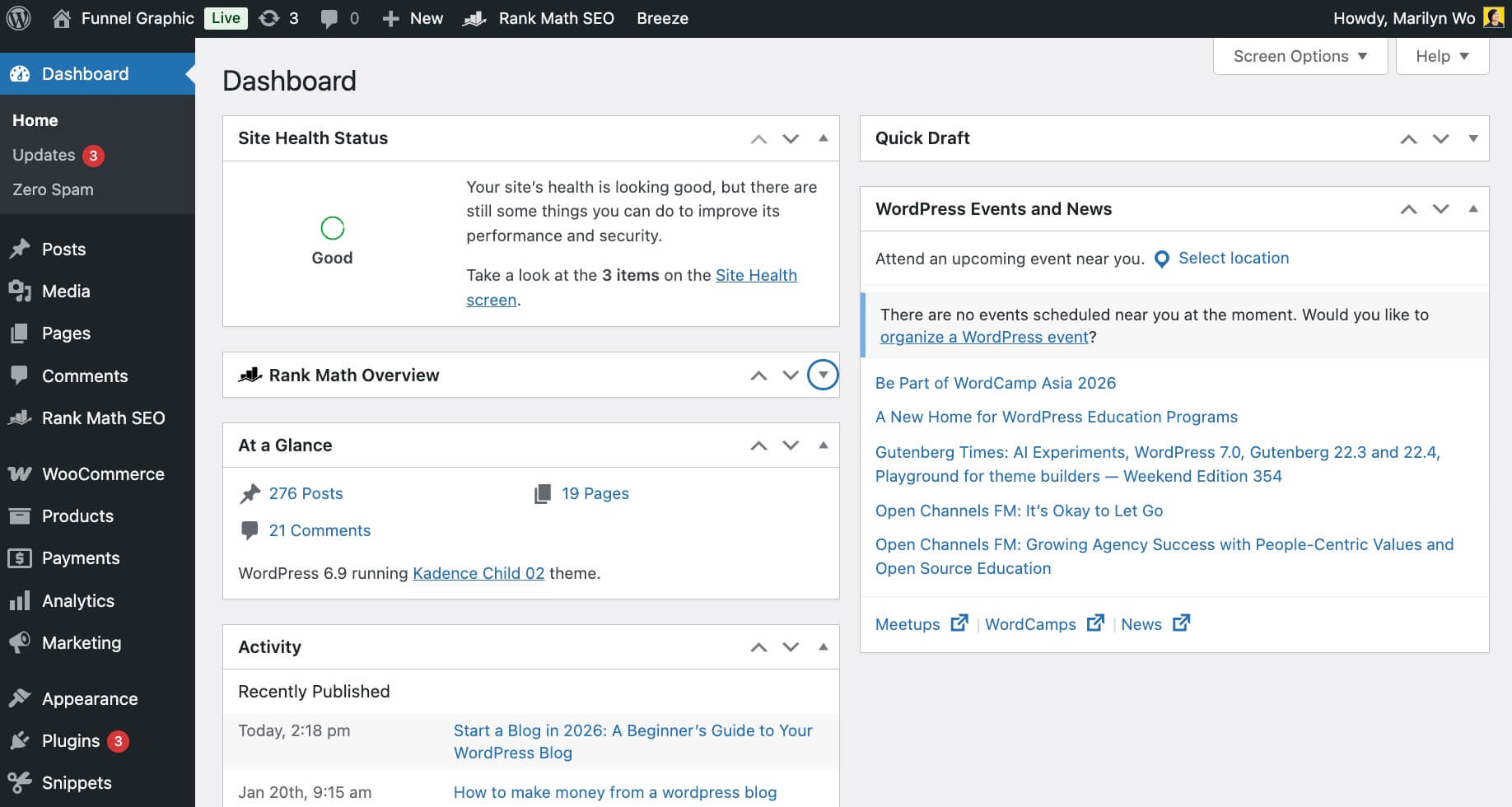
With the internet evolving so quickly, I always feel like a beginner to the incoming new developments. That said, there’s only one constant, and that is you can make your blog your main digital asset, or moat.
I’m still running all my blogs till this day. They are not dead, just different from how things were like in the past. But it’s still the best way that helps you create content in an organised way and helps to build trust with your audience.
You may start blogging as a form of a hobby. It can be therapeutic to write regularly. Or you can build a blog to make money.
The best part is you can create a professional blog and a website within WordPress.
What You Need To Start A WordPress Blog
Time Investment (Be Real With Yourself)
Before you create your blog, do get ready to put in up to 2 to 4 hours of your time to set up your website with WordPress.
There is a bit of learning curve, but it’s not steep at all. A newbie may just take a weekend to get comfortable to learn how to start a simple blog and that’s it.
The rest of your time or even life would just be content creation and promoting your blog.
How to Choose a Blog Topic Without Overthinking It
When it comes down to choosing a WordPress theme, plug-ins, whether you want to make money from your blog or not, it all starts with getting the right niche.
This is not up for negotiation.
For example, if you were to start a blog that talks about food and recipe, you should use a template that works best for food, be it design and functions.
When it comes to monetizing your blog, you may work really hard to create 100 blog posts and you could be doing perfect on-page SEO. If the overall niche is poor in market value, your earnings will always have a ceiling.
But I don’t want you to overthink or go overboard on researching without taking action.
If you are still unsure, or have many ideas popping into your head, don’t just start without any supporting data. I’d not recommend you to just start with something you’ve passion for. You need some form of validation to tell you that niche can work.
Try using this venn diagram to help you:
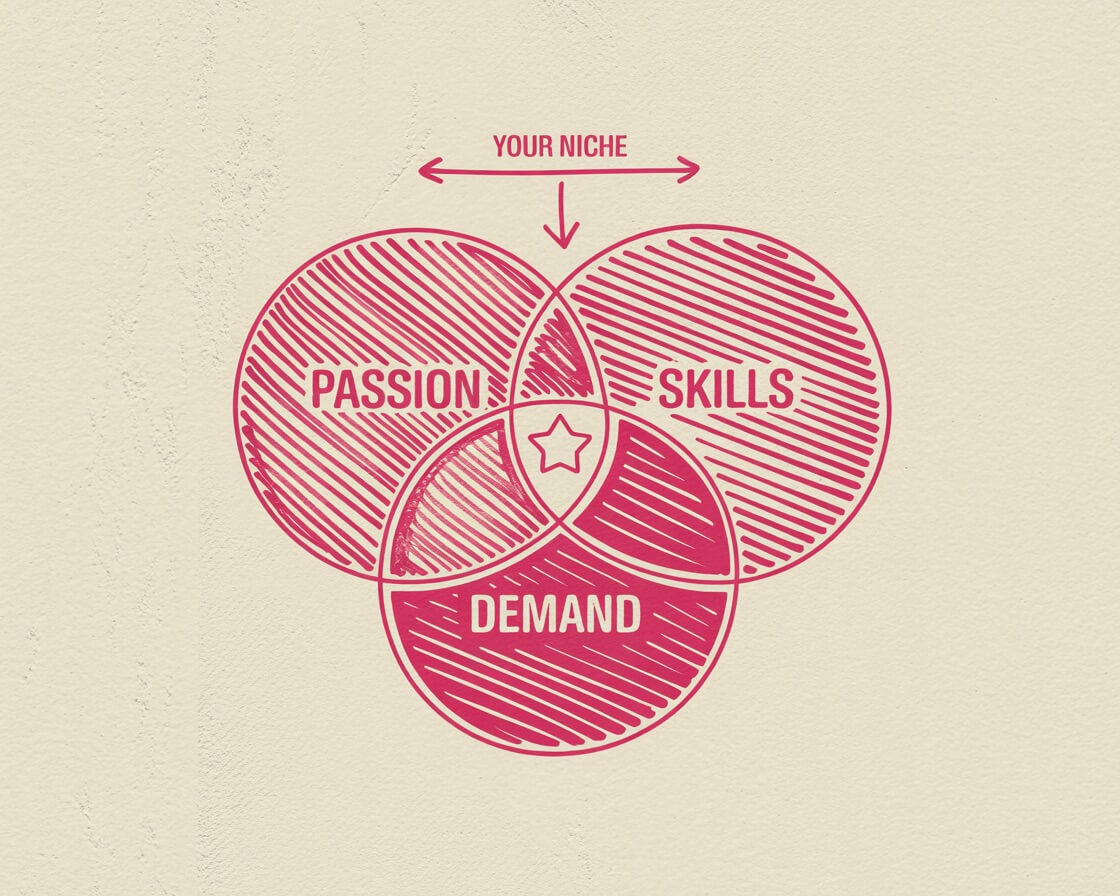
You may have ideas that you are passionate in, choose one that the market is willing to pay you for and that you have at least some skills or expertise in that. Where they overlap will be your niche.
Another way to find your niche could be through your interviews with your clients. Maybe 80% of them have been paying you to solve one common problem. That could be a seed topic you can write about to teach others.
You may also want to go for a niche where you have more expertise than another. Not that you can’t go for a niche that you don’t know much about. You can learn and get better as you blog, especially when you choose your blog niche wisely.
But if you start with something you know best in, with only just a bit of passion, it’s easier and faster to get your content off the ground.
For example, I started this blog about graphic design because I’ve been in it for decades. Once I was more confident in blogging, I went on to create more websites of various niches.
Niches such as home decor, food and recipe, gardening can lead to better display advertising income than others when you use your blog effectively.
If you want to know more, I’ve put together a complete, step-by-step guide that leads you through the process of finding a niche with genuine earning power, even if you currently have too much to decide on one or nothing at all.
How to Choose a Good Blog Name That Won’t Box You In
I’ve made the mistake of either taking too long to confirm my blog name, or creating a name that doesn’t make sense to my topic.
Give yourself less than 3 days to figure out the name for your blog based on the topic you’ve selected, then go for it.
The best way to come up with the name is to give yourself some restrictions or a guide to think of a name that works, fast.
Here are’s a list of criteria I used:
- Easy to spell
- Go for clear more than clever
- No numbers
- Use standard spelling (for example, no “5girls”)
- Highly searched on Google
For example, I’m now starting a new blog and I’ve named it as Paddle for Pickleball, with a domain name, PaddleforPickleball.com. One reason being, it is searched at least 200000 times per month on Google search as researched on Ubersuggest:
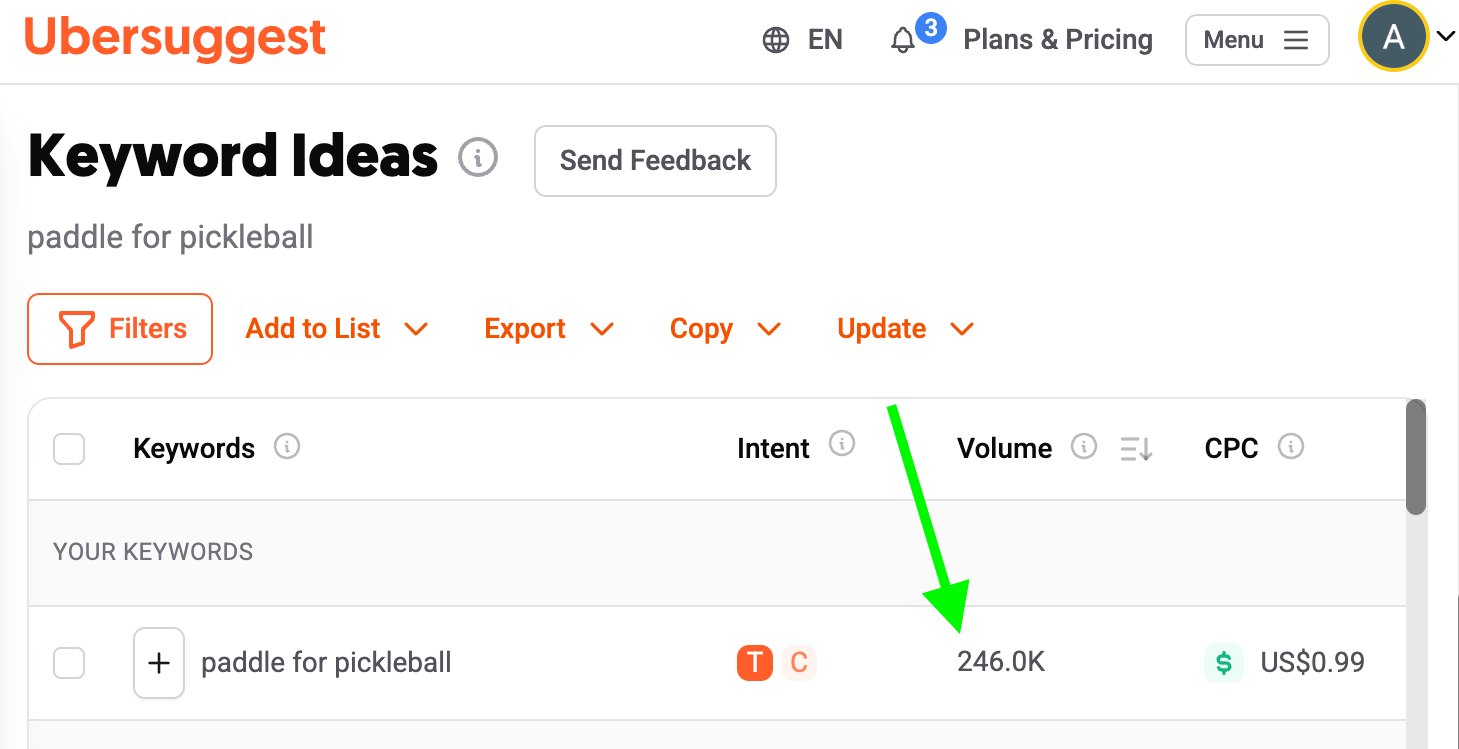
I thought pickleball should be part of the growing mainstream sport for a long time to come. The name Paddle for Pickleball is also clear, easy to remember and spell.
I try not to go with fast trends or those that I wasn’t sure if I would carry on a couple of weeks from now.
But don’t get overly perfectionist over it. So long it fits the points above, it’s good to go.
Your blog name would also most likely be your domain name. And years ago, I was wondering if the name has to be explicitly what the topic is about.
There’s no need for that, but I did that for my pickleball blog mainly because it’s a highly-searched term. I’m still testing this out and will let you know if it helps.
Other than that, let’s say your blog is about desserts, you don’t have to name it “High Tea Desserts”. You could name it “Paradise Bites” or something along those lines.
In this case, your blog name is not restricted too much such that you can’t change blogging about desserts to blogging about other food related content like snacks or main dish.
Where To Get Domain Name and Web Hosting
For a domain name, I always get it from Namecheap, not anywhere else. The reason is that Namecheap tells you explicitly and clearly the price of your domain now, and yearly thereafter.
The price of a domain from Namecheap, between today and next year isn’t too far. It’s easy to do my accounting and there are no surprises.
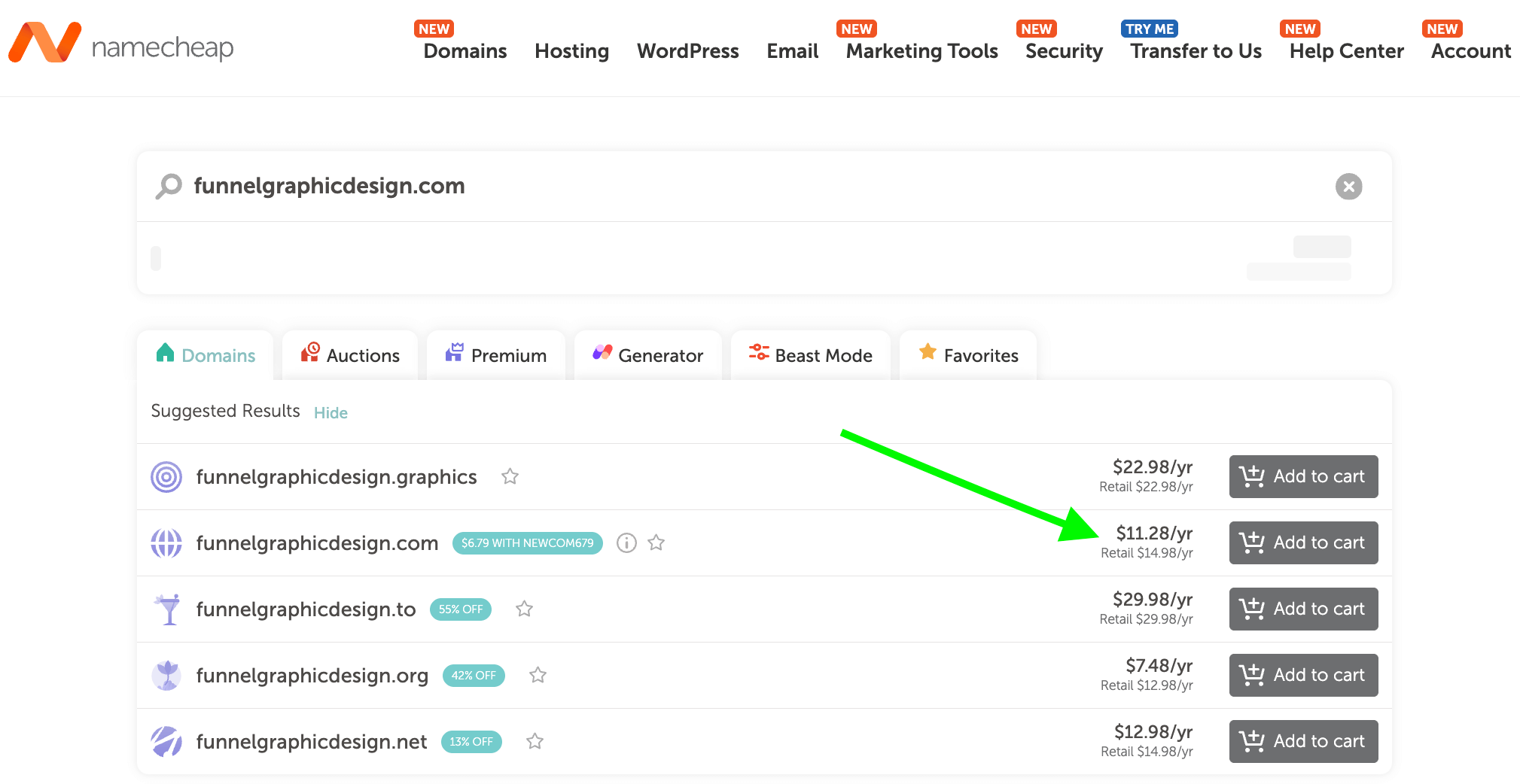
As for many other domain name sellers, they will sell it to you at an amazing low price for the first year but jack it up second year onwards without clearly stating it.
Do check through to be sure what you will have to pay in subsequent years to keep track of your finances.
Next, you will need somewhere for your “building”, that is, your content to live in. That’s called a webhost.
Many webhosts offer a free domain name for new customers who buy a hosting plan. This is a great deal.
However, I recommend having your domain name hosted separately from your web host. Reason being, in this cloud and web world, there are tech complications, downtime and situations when you may change hosts.
With the control of just the domain name, you can “tell” the web what you want to show on your page. On the flipside, if anything goes wrong with your hosting, you may have trouble changing what your domain name is pointing to.
For blog hosting, I’ve hopped from MediaTemple, HostGator, to Bluehost, to Siteground. You may have heard of these promoted by other bloggers.
All was great in the first year, but in the second year onwards, I faced more than 90% downtime, and every time there was a downtime, I was told to upgrade and pay more for “more bandwidth”.
I ended up using two web hosts and never been happier. As of writing, some of my blogs are hosted on BigScoots, and others on Cloudways.
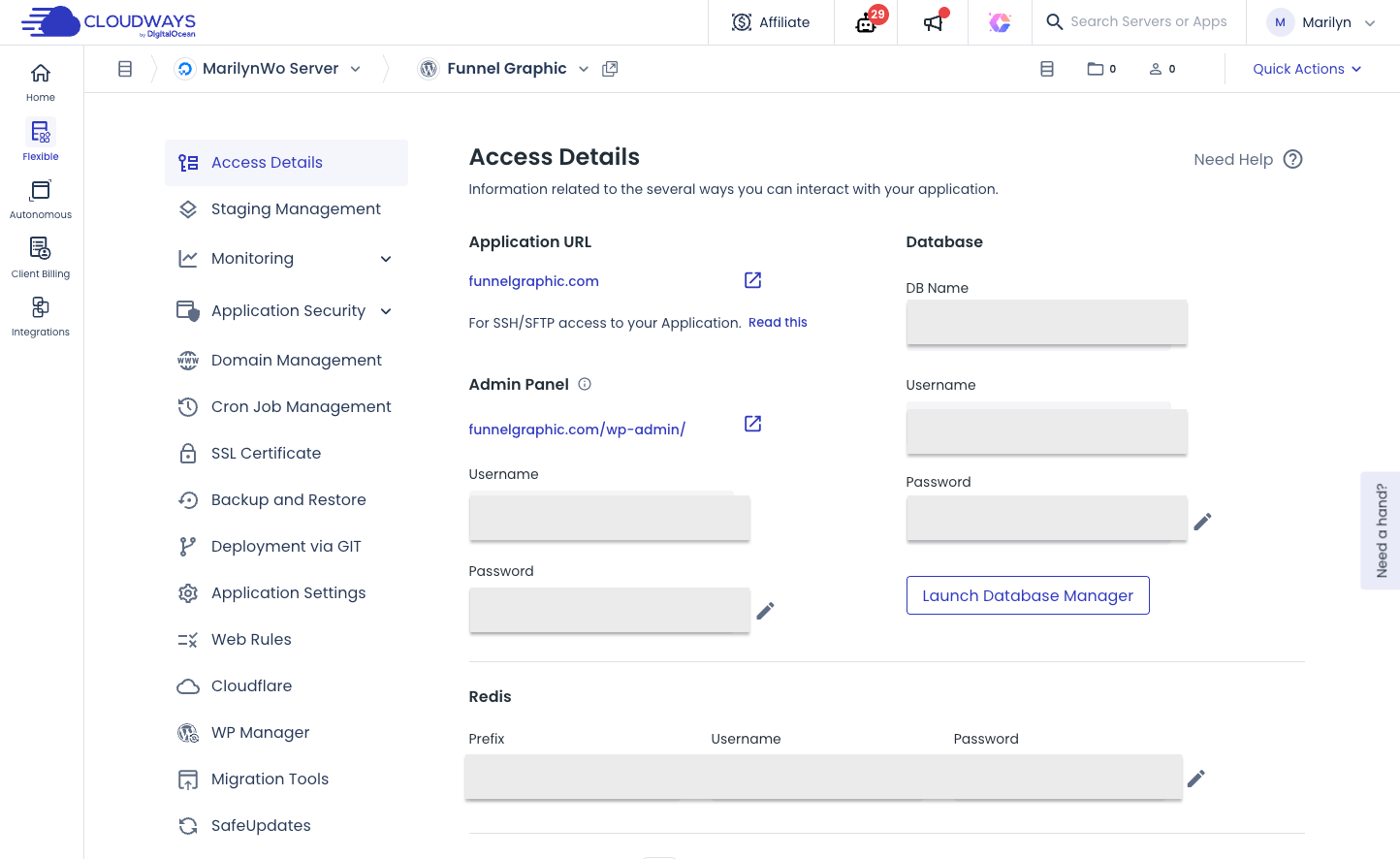
If you sign up for Cloudways from me today, you get a 3-day free trial. Just use promo code WELCOME26 and you are good to go. And if you carry on, you get the following goodies:
- 30% off for 4 months
- 15 free expert-led migrations
Get this now before the offer ends on 15th January 2026
I am using two because I don’t wish to put all my “eggs in one basket”. After my horror experience with other hosts, I am not ready to lose my revenue from any host ever again.
If you are just getting started, simply go for Cloudways. Any other WordPress hosting provider that offers low pricing, such as $4 per month, can do so by squeezing as many websites as possible onto a single server.
Everyone is sharing the fixed pool of resources. That’s usually the reason why websites like mine previously had so much downtime.
Bigscoots also uses the same model, but it’s the best among the shared hosting options. It’s customer help desk responds lightning fast as well, as if they are your inhouse developer.
As for Cloudways, you get a dedicated space for only your website for as low as $14 per month. The customer support is top-notch and helpful too within a real-time live chat away.
With your hosts in place, it’s time to install the WordPress software. It’s entirely free to use and you can install it within Cloudways and Bigscoots just by following their given instructions.
The last essential item is to set up your email marketing provider and link it to your WordPress site.
How to Install Your Self-Hosted WordPress Blog the Right Way
There are two ways you can start a new blog with WordPress.
The first way is to go through WordPress.com. It is a free way to blog. You don’t have to install WordPress and your content is hosted for you.
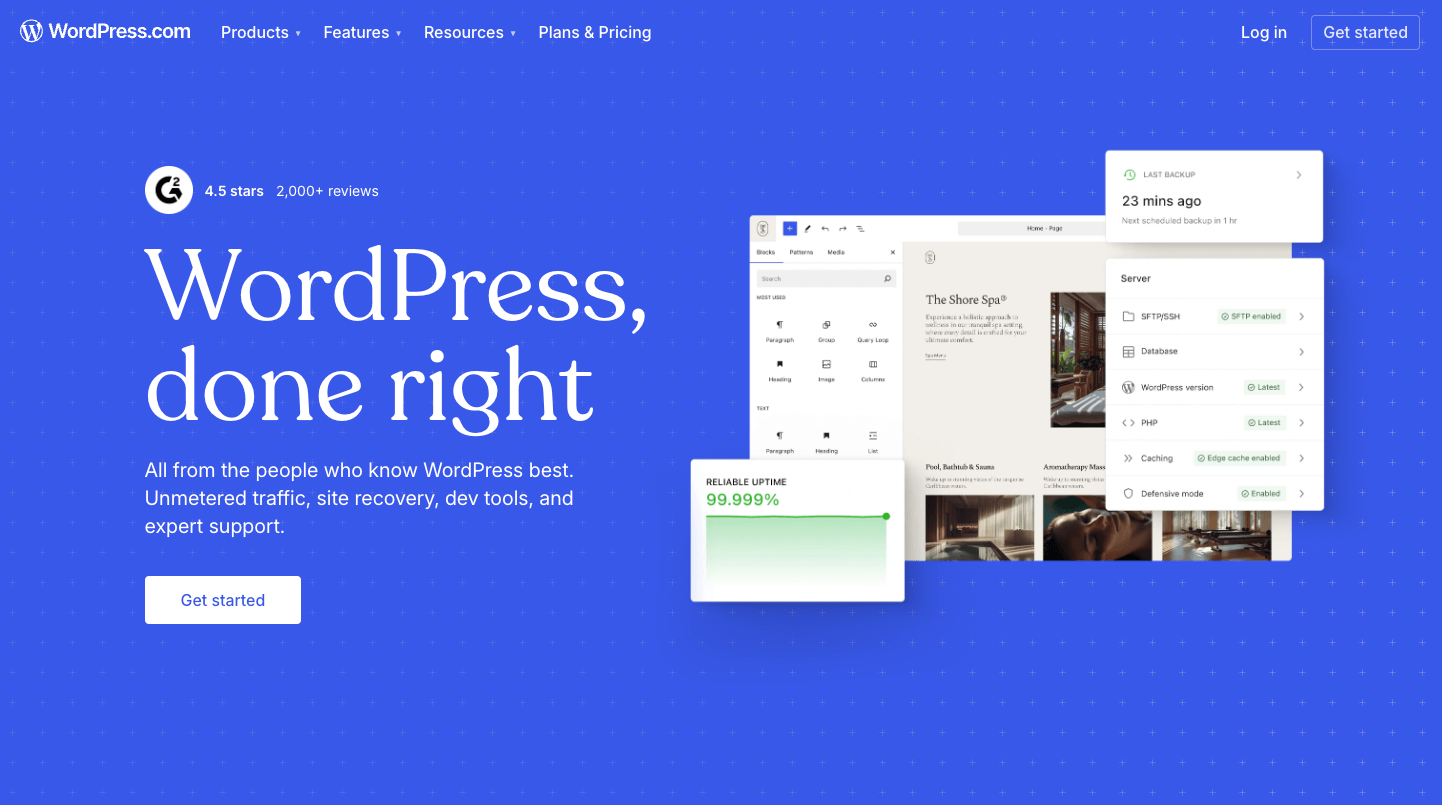
Although you can blog for free, the downside is you won’t be owning your blog.
With the free WordPress, you can’t just build and design your blog as freely as you host it yourself, and WordPress can remove your blog as and when they want to.
If you wish to create a blog that allows you to do more than just create content, I’d recommend you to invest some money to give you that flexibility down the road.
Hosting your own WordPress blog is the best option for beginners who want flexibility.
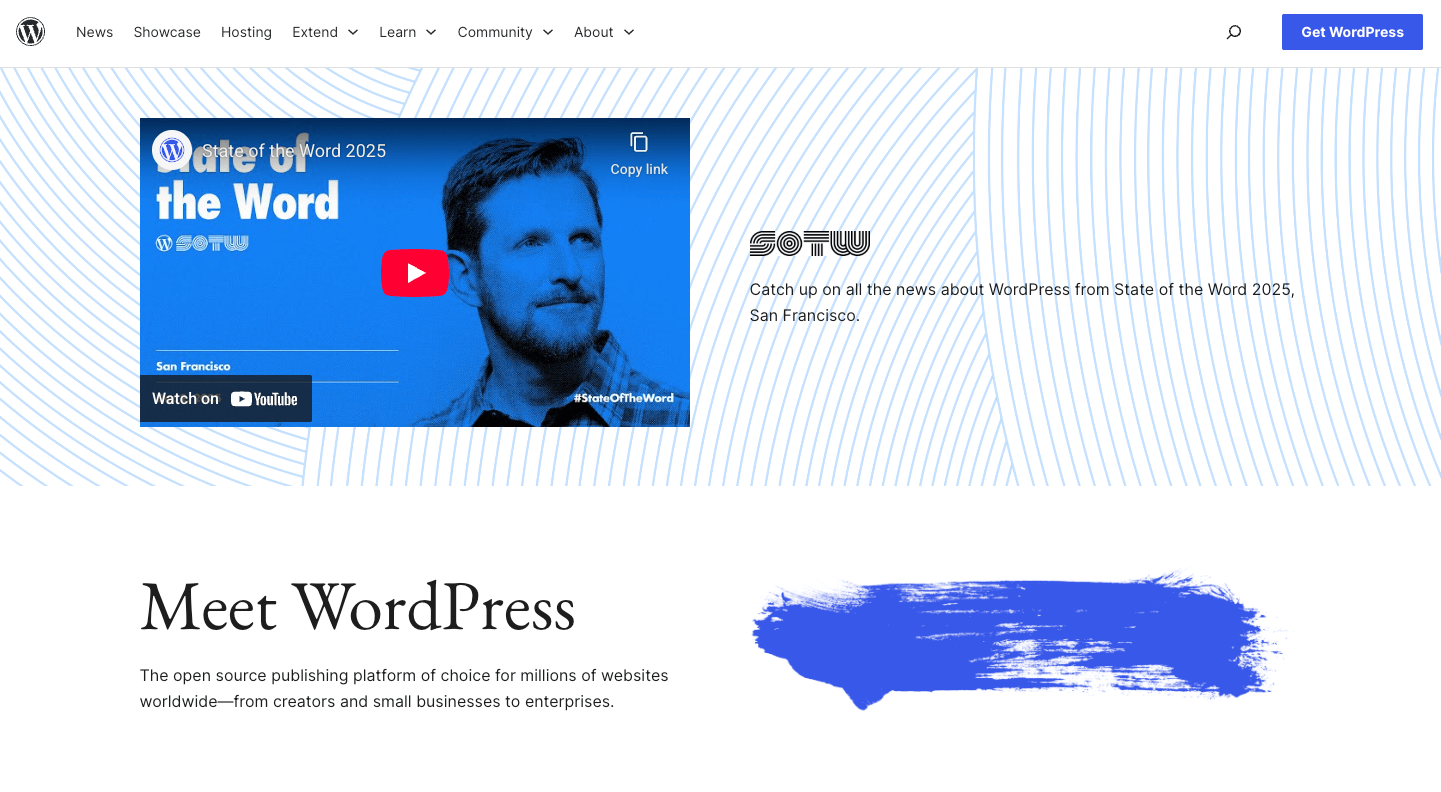
A new WordPress blog should give you access to these:
- Full WordPress dashboard
- Option to install your own custom themes and plugins
- Native WordPress editor for content creation
So how do you get that onto your server? It’s not rocket science. Most hosts allow you to install the full WordPress by just clicking a few links. Here’s how you can install WordPress in Cloudways.
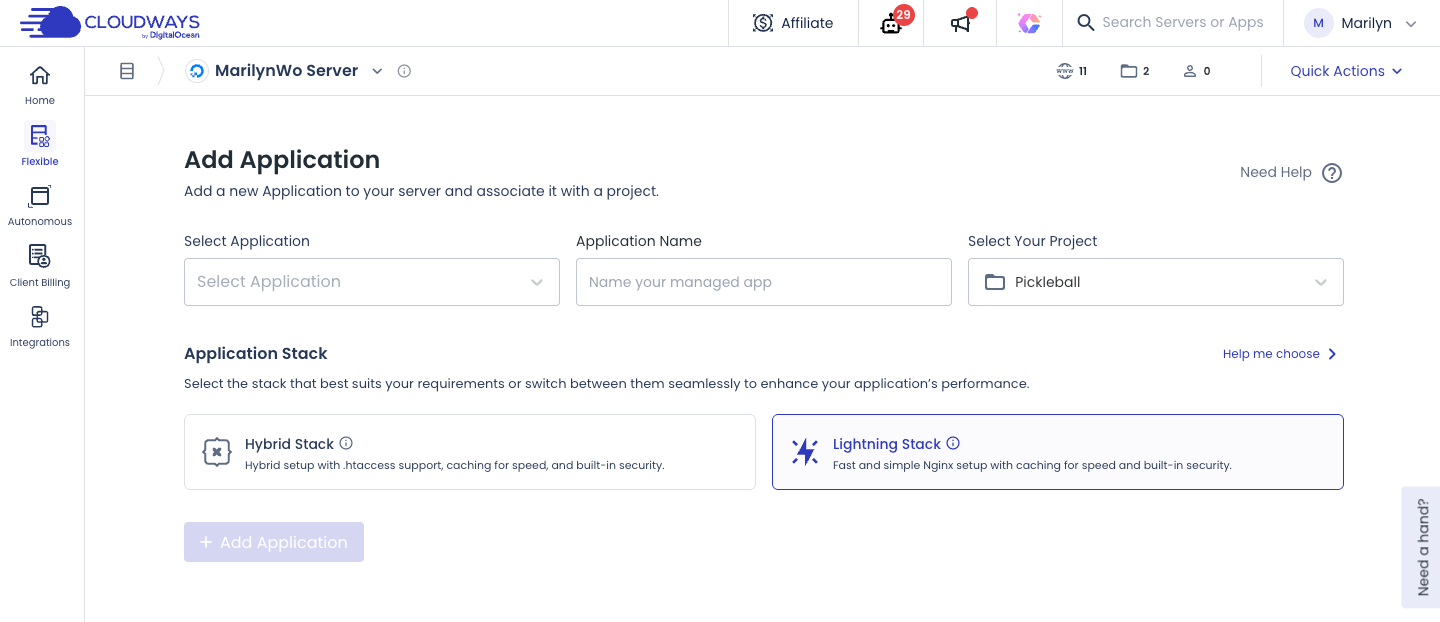
You don’t even have to do it yourself. Cloudways has a 24/7 support team to help you with that if you prefer someone to do that for you.
If you love to DIY, you can do that within your Cloudways webhost itself or learn how to install a WordPress blog using the official WordPress guide.
To get your blog up and running, go your domain name host to provide the nameservers. They look something like this: ns1.cloudways.com and ns2.cloudways.com.
Here’s how you can edit nameservers in Namecheap.
Now your website is live!
How to Choose a WordPress Theme and Plugins
There are tons of themes and plugins that provide the same functions. Are you confused?
Since I’ve been using WordPress for more than a decade, I can give you the exact themes and plugins you need to launch your blog without guesswork.
Every time I start a WordPress site, I will use Kadence theme. This has all that I need to run and make a full-time income.
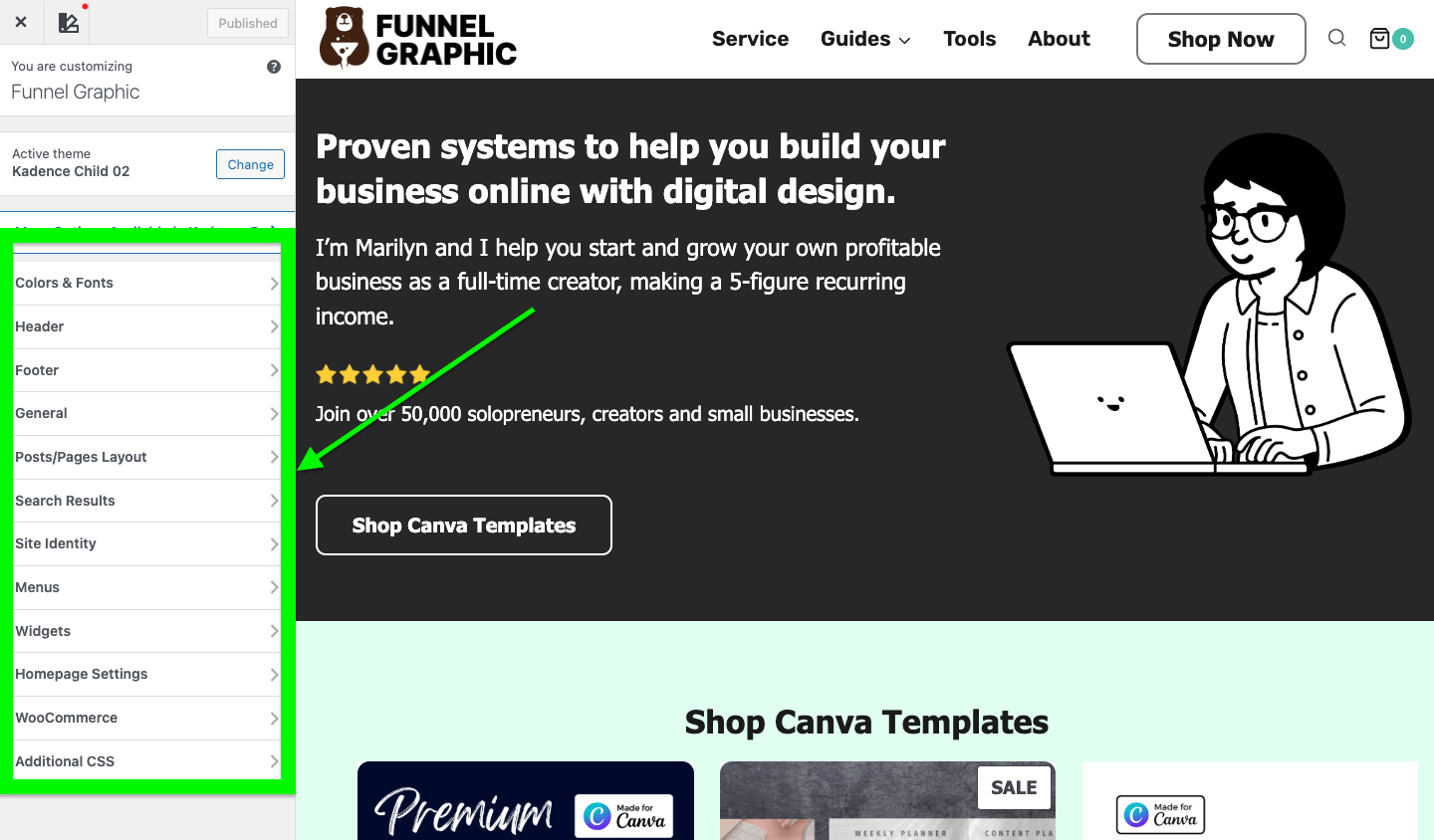
Depending on the niche, if I need specific functions based on that niche, I will install the Elementor plugin.
Since WordPress is open source, many developers can code up a theme and sell it. However, not everyone does it in a way that is compliant to WordPress.
If you use such themes and plugins, chances are you will face conflicts and errors within your site.
This can be frustrating because to have it resolved, the owner of the theme and plugin must be willing to update it. Otherwise, you will just be waiting helplessly and wasting time.
I have no issues with Kadence and Elementor so far, and they are optimised for mobile use and fast to load. You don’t want a theme that has unnecessary functions that clog up your site and load times.
Other than these, you can also shop for more and buy a WordPress blog theme from Envato.
Good thing is you don’t need tons of plugins. I’m sharing what I use so you can install them right from the start. You don’t need anything else other than these:
- Breeze Cache Plugin – Clear cache – Get it for free
- Cloudflare – Speed up your website – Get it for free
- Code Snippets – Add custom code – $50 off today
- Alttext.ai – Automatically add alt-text to images – Start 14-day free trial
- Kit – Get sign ups to your newsletter – 14 days free trial of the Creator Plan
- Loginizer – Security for your site – Start Free
- Rank Math SEO – Optimise your site – Download for free
- Zero Spam for WordPress – Stop and remove spam messages – Free Plugin
- Elementor – Free AI site planner
- Kadence for WordPress Theme – Start free
If, like me, you want to create an online store in your blog, these are the plugins to get it going:
- WooCommerce – To sell products
- Or Easy Digital Downloads – To set up digital store
How To Track Blog Traffic Performance
To build a blog is one thing. You wouldn’t want to just let it sit there. I for one would want to start a successful blog whether or not it’s a full-time business or a side gig for me.
Writing for fun is one thing, you’d want to know what is working, what is not. To do that you will have to track where your readers are coming from, or bring more traffic and find a way to attract real humans to visit your new blog organically.
The most basic channel to attract reader’s attention is from search engines. While Google is the main search engine, there are several others like Bing, Duck Duck Go and more.
You may also wish to know if readers are coming from AI LLMs (Large Language Models) like ChatGPT, Claude or Grok.
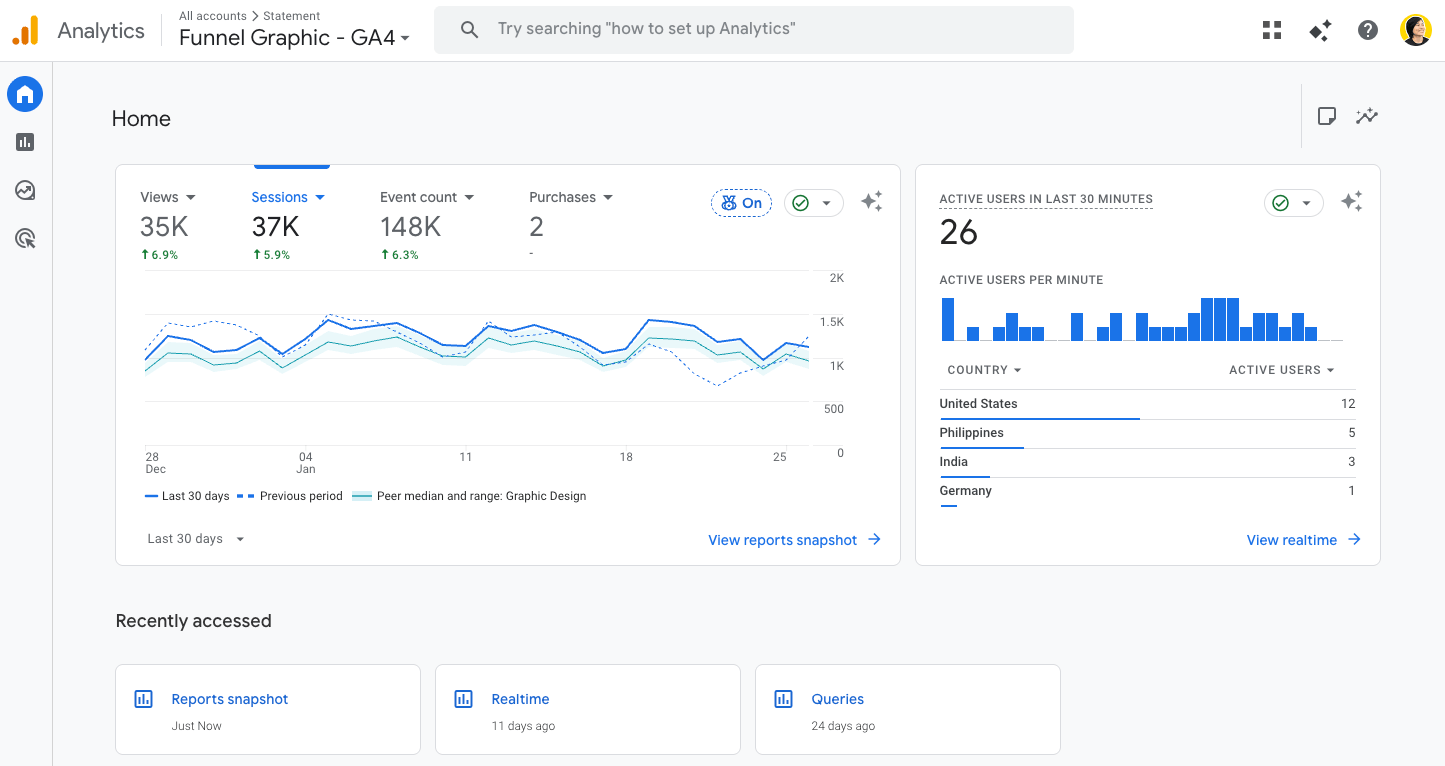
In order to know if there’s anyone is landing on your site, the first tool you need would be Google Analytics. Follow the steps as given by Google Analytics.
The next tool to sign up for is the Google Search Console. When you first set up your blog and add blog content, it doesn’t mean that Google will immediately show it to anyone.
Google has a list of criteria on which content they want to show in search and which ones not to show.
You will also have to earn Google’s attention, kind of to say “hey, I’ve published a new article”.
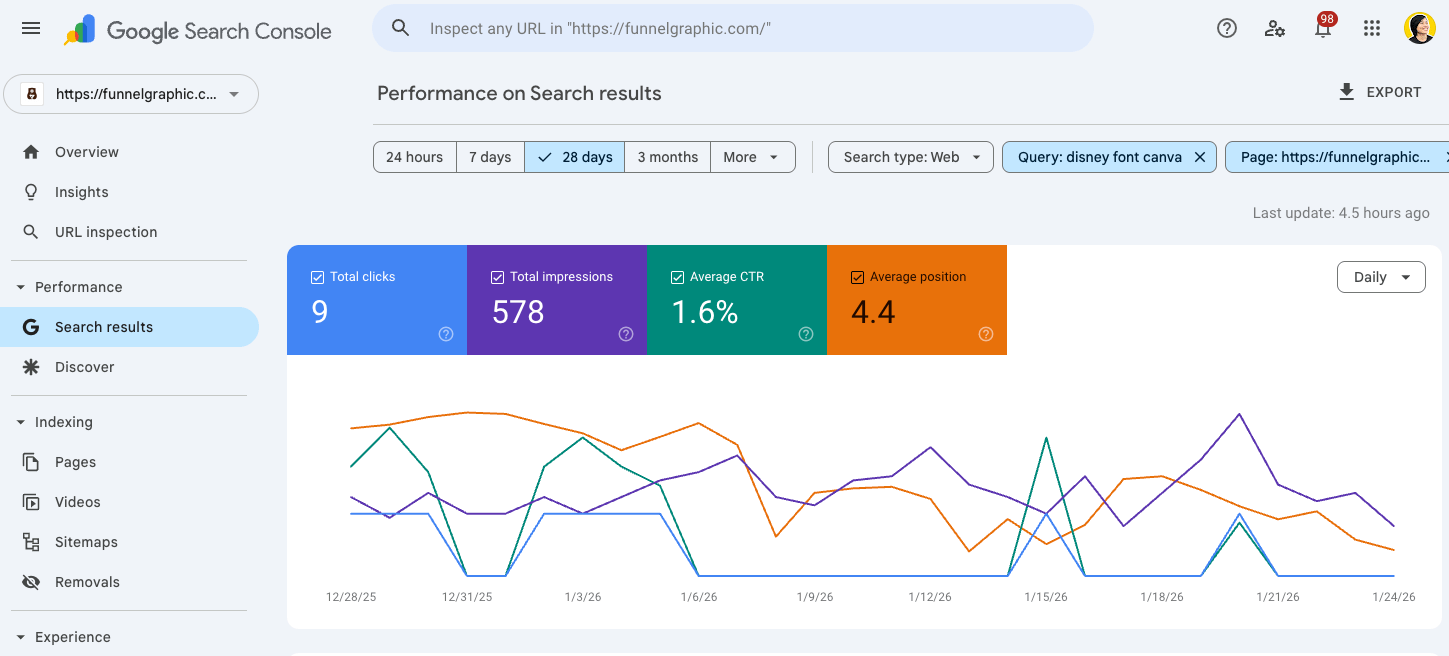
To do that, you will have to index your article by submitting your sitemap to Google Search Console. That will tell Google’s system that your article is ready, let them crawl it and add it to the search results.
Then, install the RankMath plugin in your WordPress. It has all that you need to optimise your blog’s SEO, so you don’t have to download multiple plugins and spend too much time setting them up.
Next, connect your Google Analytics ID and your Search Console to your WordPress site by going to the Analytics section of the RankMath plugin.
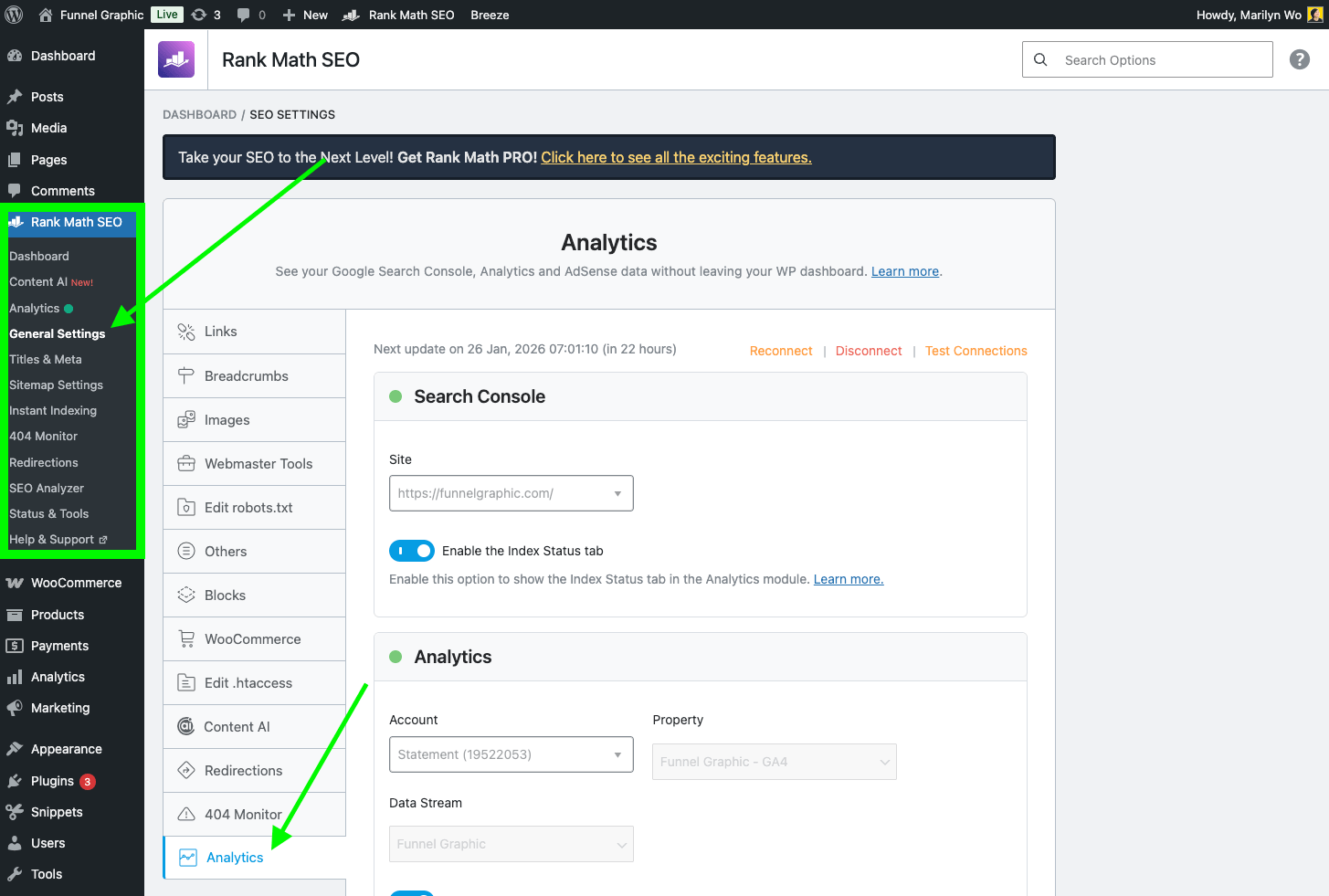
Lastly, do sign up for Clicky. It’s similar to Google Analytics, but with much wider coverage.
After discovering and using Clicky, I realised Clicky is more user-friendly and easier for me to have a quick view of where all my readers come from.

How To Design a Beautiful Blog On WordPress
If you want readers to stay longer on your blog, the design matters. However, if you are just getting started, with minimal budget to work with, the best way to start work on your blog is with as little time as possible.
You don’t have to hire a designer at the beginning. There’s no need for you to spend hours looking for fancy fonts.
When you design your blog, you will want your blog to look according to your topic, with your content easy to read, clear navigation, simple layout and designed with your audience in mind.
Kadence and Elementor has a basic template for you customise your site that makes it easy to create. This is beautiful enough for a start.
Select any of the starter templates pre-designed:
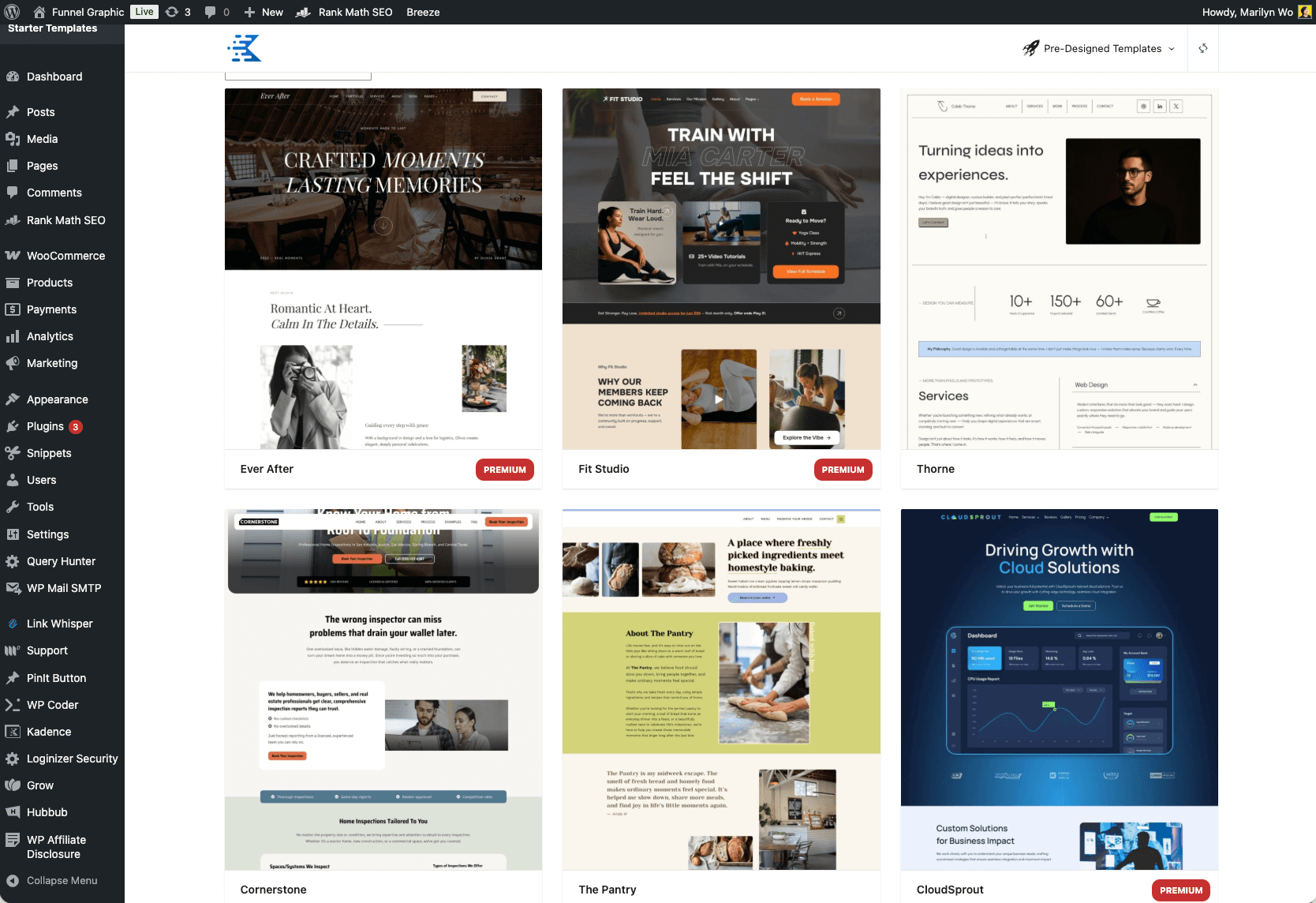
Then, use the WordPress native functions to add your content.
The WordPress block editor allows you to create sufficient content with the necessary design for a basic blog. Anything else would be redundant at this point.
For all my blogs, I only started focussing on the design after there are at least 1500 visitors to my blog per day. Anything lower than that, I only do minor adjustments that don’t take more than 30 minutes of my time daily.
Set Up A Content Plan With Keyword Research
Now that you’ve set up a blog, the next thing is to start generating new blog post ideas. The first time I blogged, I spent a month to write my first blog post.
I was trying to be a mind reader, or worst, trying to guess what other people want to read. That made me overthink and trash my drafts too many times, taking too long to publish a single post.
You don’t have to rush, but you shouldn’t be guessing what readers want and take too long.
Here’s what you should do:
First, go to Ubersuggest, sign up for the 7-day free trial. In the left-side menu, under Keyword Research, click on Keyword Ideas.
On the main page, enter your seed keyword. My example here is “best graphic design tools for beginners”. Select your location. In my case, it’s “United States”, then hit the “Search” button.
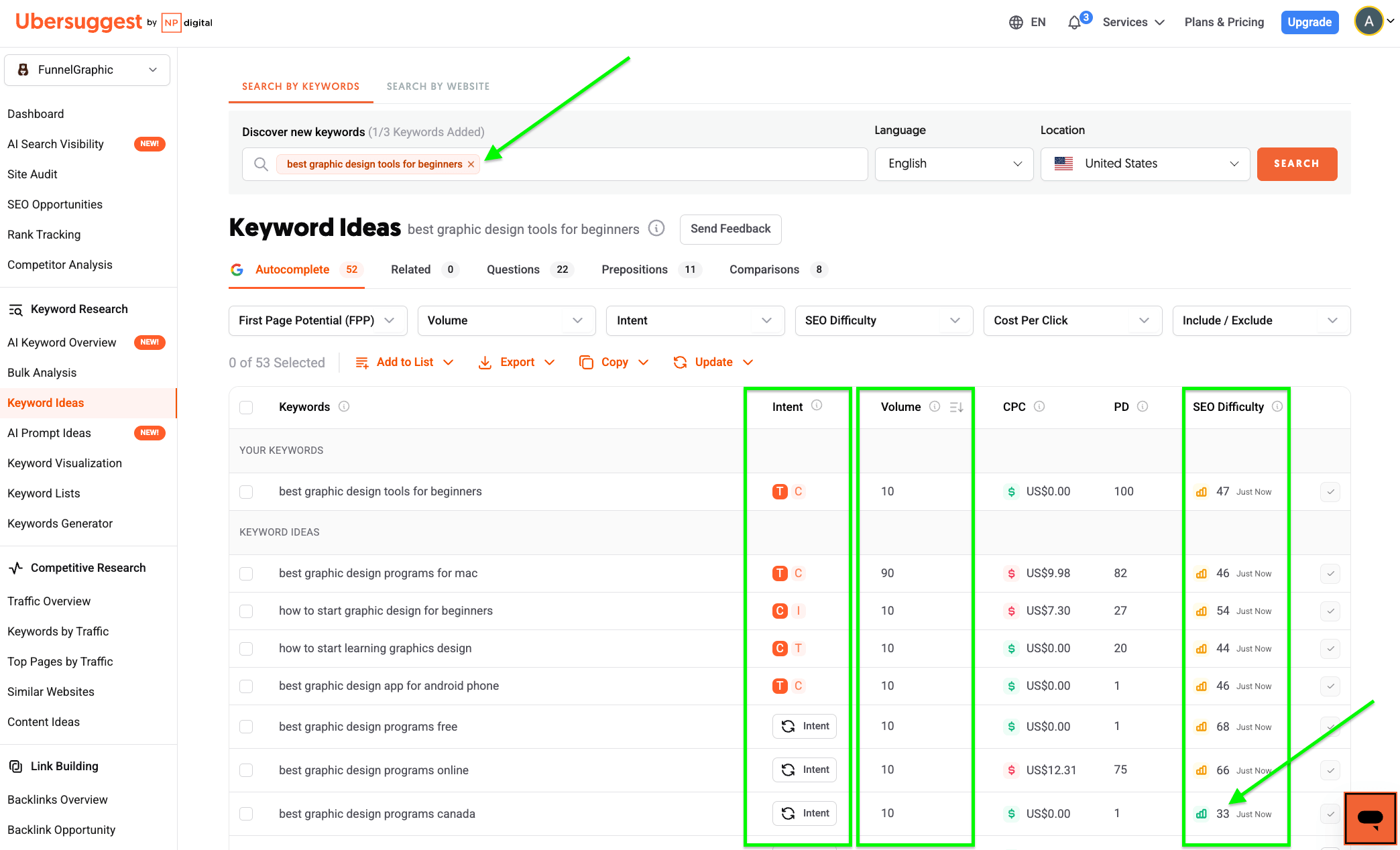
The results that appear would be a list of keywords related to your seed keyword. From this list, I see that “best graphic design programs canada” has a volume of “10” with an SEO difficulty of “33”.
That would be a good topic to start with for a beginner blogger. It is not too competitive yet there are some people already searching for it.
If you publish this and Google sees that you are offering your help where not many information is available, your blog post may rank higher up in search, and may be found easily.
You now have access to keywords and blog post ideas not from guesswork, but from real data of what people are searching for.
This is the right and the least information you need to know to start your blog for now. In other words, the only thing you need from Ubersuggest are:
- What words people are using to search on Google
- How much are they used in other blogs, or SEO difficulty
- What exactly do they want or what’s their search intent
As for the volume or number of people searching for the keywords, there’s no need to get anxious with that for your first blog post, or even your next 100 posts. Be it 0 or 10000 search volume, so long the SEO difficulty is easy, create a blog post around that.
Write Your First Blog Post
With your keyword research and content planning done, the fun part begins, that’s to start writing blog posts.
When you create content, don’t compare it to essays. You don’t need to ace your exams to write great blogs. It’s all about confidence and believing in yourself and your opinions.
Put your self-doubts aside. Your keyword research already tells you people are looking for content based on those words, that’s half the battle won.
When it comes to actually putting your words down and publishing them, so long they are clear, easy to read (roughly 5th grade standard), in short paragraphs and sentences, you are good to go.
As for my process, I’ve used a number of tools. Besides Koala Writer AI and ChatGPT, my all-time favorite is Neuronwriter.
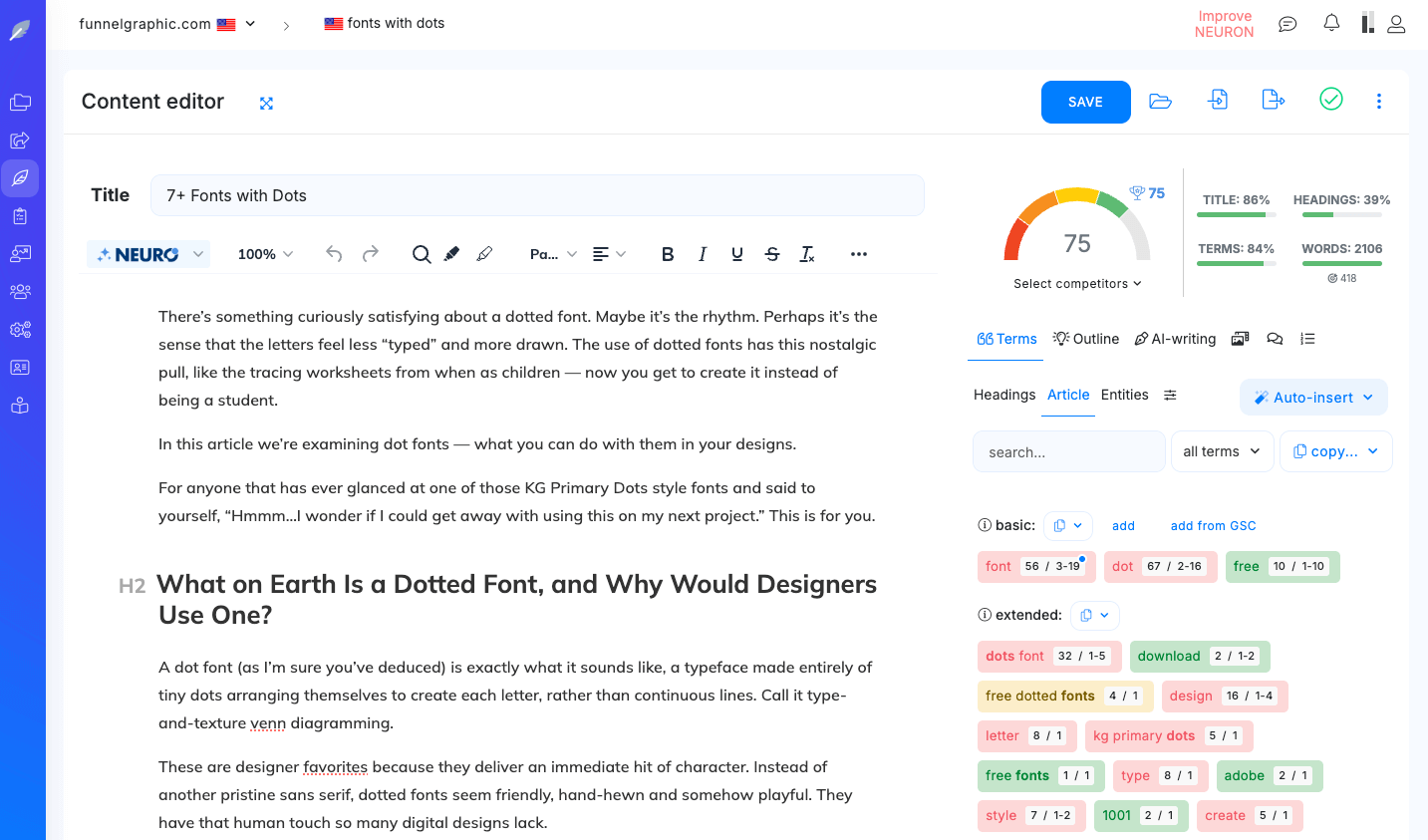
It analyses existing blogs and rounds up the terms and intent that you need to have in your writing to perform and optimise as well as the rest or even better. This is what I can’t do with the time I don’t have.
That said, no matter which tool is good, it’s just a tool. Every blog post should solve one problem well. Besides words, add relevant images on your blog to break up text and help illustrate your points visually to support your content.
Make sure you compress your images so they don’t take up too much server space and slow down your site’s loading time.
Your blog grows when people stay, read, and come back.
How to Promote Your Blog Without Feeling Salesy
Now that the foundation of your blog is set up, the next important thing is to promote your blog. The most important part of this is to go to the right place where your readers are usually found.
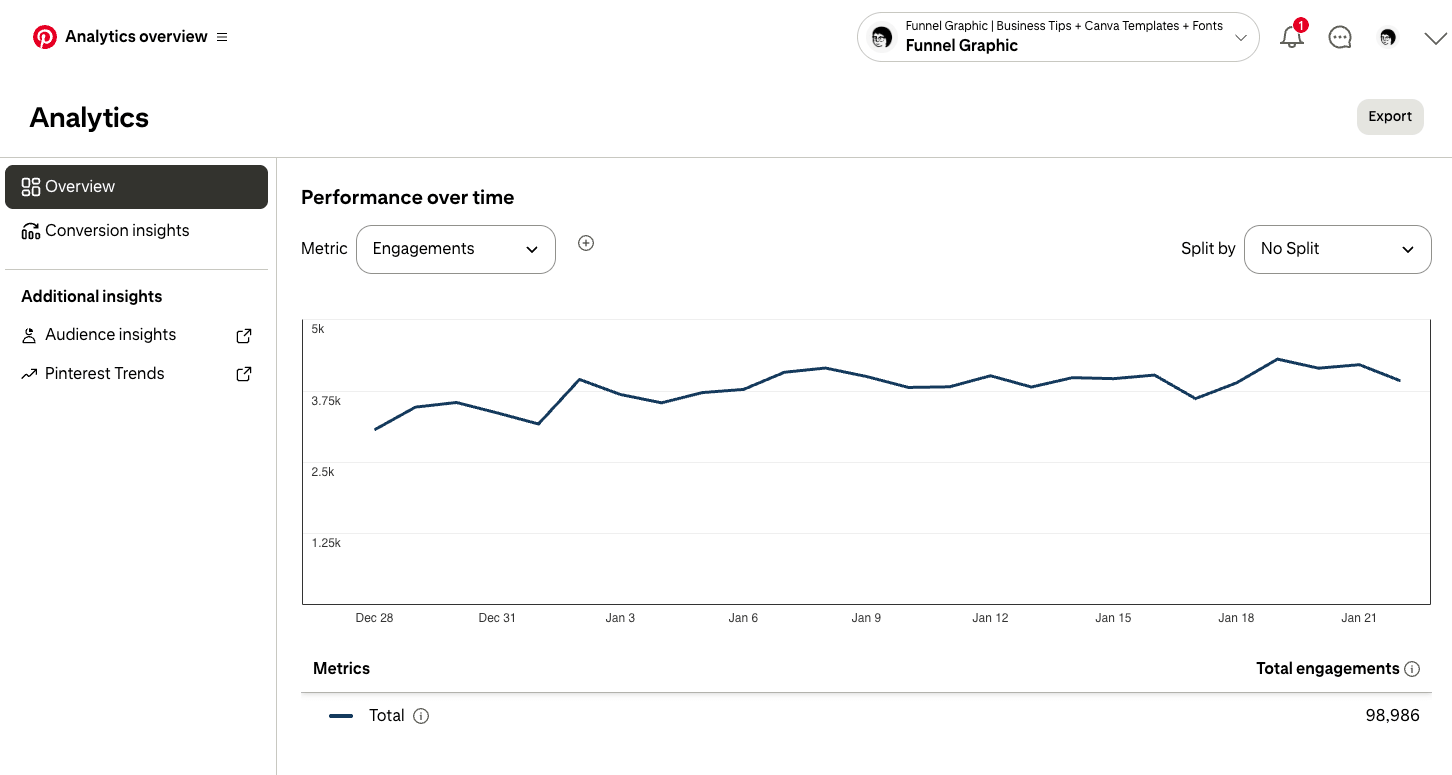
For example, since Funnel Graphic is a visual niche, Pinterest is an obvious channel to put out my work. I publish pins on my Pinterest account daily. You may wish to do the same on Instagram and Tik Tok.
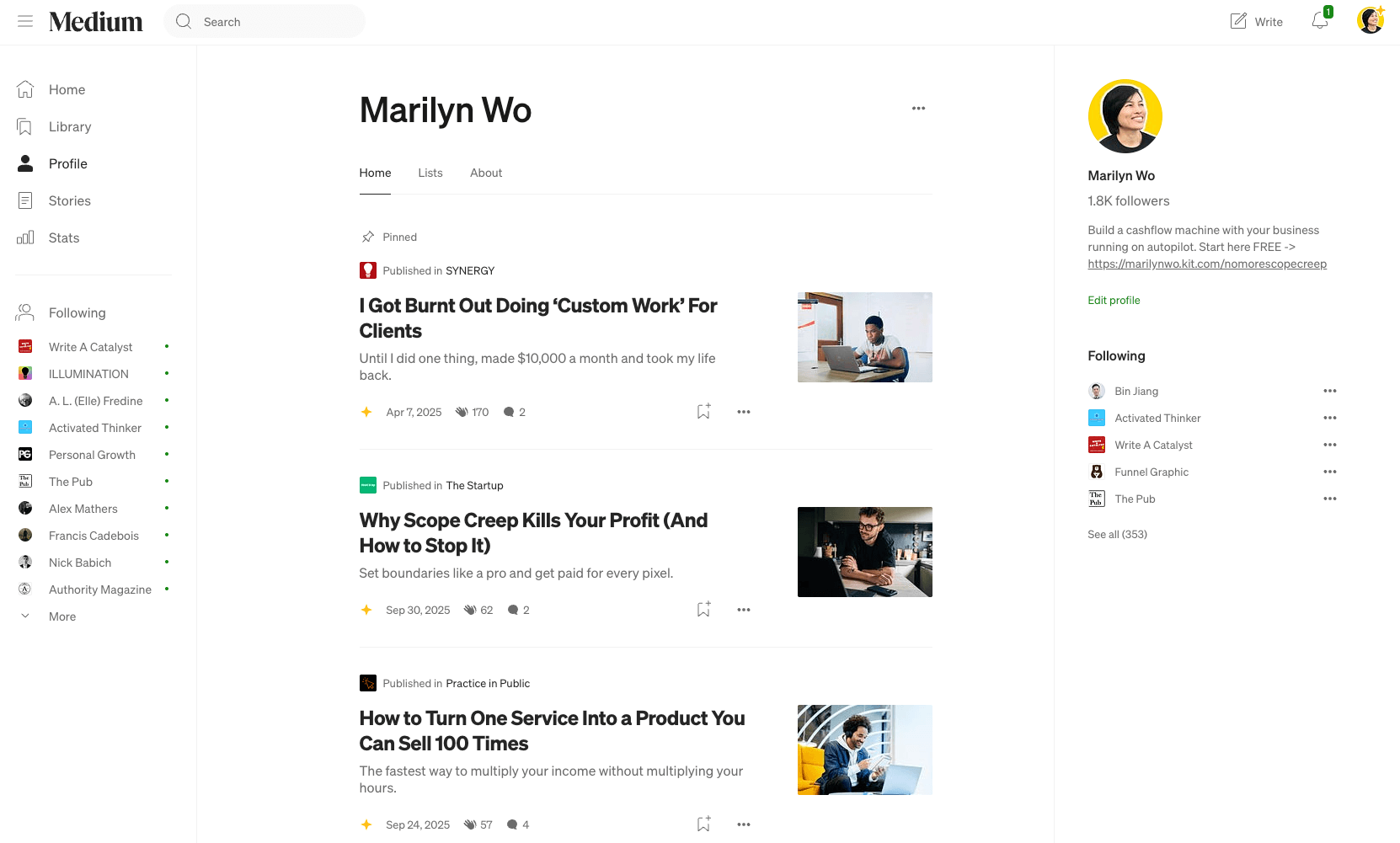
If your readers are mostly writers, I’d recommend you to publish articles regularly on Medium. That’s where most writers would be following other writers and may come across your work.
For my new blog, Paddle for Pickleball, I may go to Facebook and Pinterest. If your readers are business owners, sales directors or enterprise leaders, you may wish to go for LinkedIn, like I’m doing with my productized design resources.
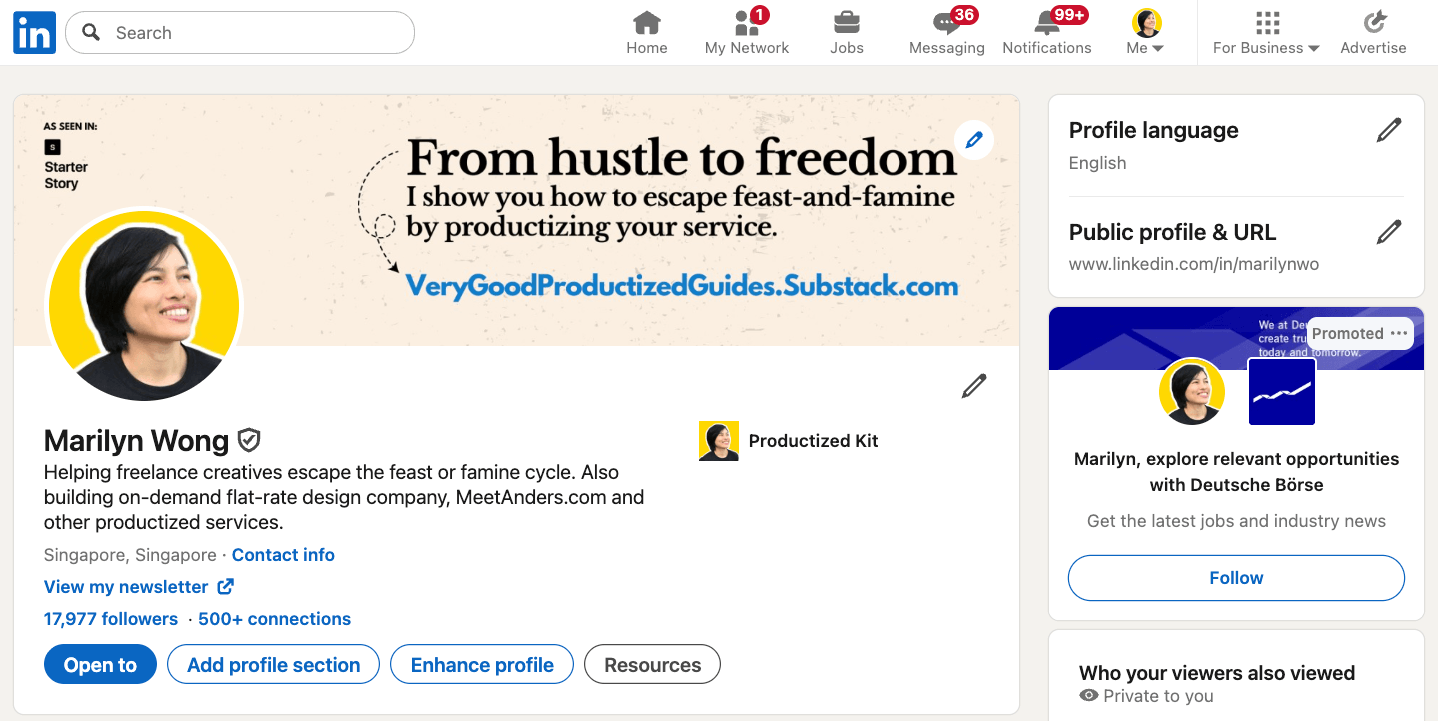
So long you are showing your work where your ideal readers, customers and clients are, you are not being salesy. Chances are, you will have ideas, solutions or products that they truly need.
Whatever it is, do not think that since your content quality is good, people will start flocking to your blog, it doesn’t work that way.
The main difference between a blog that gains traction and one that doesn’t isn’t the content quality, but the marketing activities done to get as many people to visit it as possible.
I used to write my articles and left them as they were, going on to the next article and the next, without sharing what I’ve done.
I never liked being sold to or forced to read something, afraid of being persuaded to buy something that’s not what I needed.
Hence, for me to talk about my blog made me feel like I’m doing what I don’t wish to be treated. Promoting my blog was not second nature to me and I was too lazy to go beyond my comfort zone.
To promote your blog, here are the most important areas to focus on:
- Search intent on search engines and AI LLMs
- Building your authority and brand by publishing helpful content on various channels
- Internal linking (linking between your own pages of the same domain)
Getting your blog in front of people takes time, don’t discount days where there are just a few strangers reading, keep on going.
Make Money From Your Blog
The next big step after getting your blog cadence going regularly, is to grow and monetize it, such as adding display ads and affiliate links where you earn a commission.
While doing so, you should still keep giving the right value that your ideal reader wants. That builds trust and have them coming back.
As for selling products or digital products, you can do that with your blog anytime you want. So long you know what problems your audience is facing and you have the solution for that.
Reason is, it already takes time to build a blog, and it takes more time to test and create your products. You don’t want to end up spending that time to realise nobody wants them.
Common Beginner Mistakes That Slow Blog Growth
With all that, here’s what I think most blogs fail:
- People quit within the first six months or even a year
- They overthink design
- They overthink content quality
- They don’t publish enough, fast enough
- They write only what they are interested in
Final Thoughts. Start Blogging Today
If you’ve wanted to start a blog, don’t wait any longer.
Get the momentum to keep progressing and publishing, that’s when you will see fruits of your labor.
This website contains affiliate links. As an Amazon affiliate, I earn from qualifying purchases, our own services and products. This tutorial is an independent guide and is not affiliated with, sponsored, or endorsed by Canva Pty Ltd. All product names, logos, and interface screenshots are used for identification and educational purposes only. Canva is a registered trademark of Canva Pty Ltd. Screenshots are used under fair use for the purpose of commentary and instruction.